
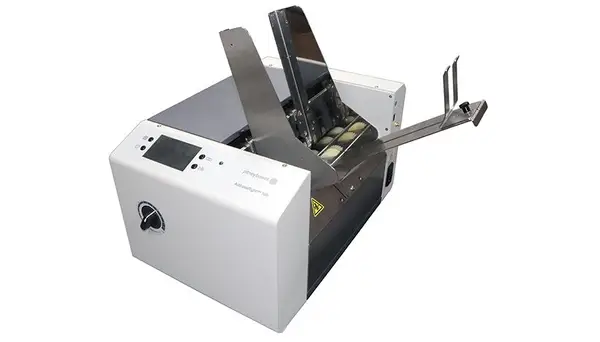
AddressRightTM 100, 200, 300 Series Envelope Printer Support
Find solutions
Install & Setup
Using Your Product
Fixing & Maintenance
Installation, Setting Up & Drivers
Learn how to assemble and connect the AddressRight 300 Feeder.
Learn how to set up the AddressRight 300 Feeder.
Learn how to assemble the AddressRight 200 printer.
Learn how to assemble the AddressRight 100 printer.
Network & Connectivity
Learn how to connect the AddressRight 100, 200, and 300 printer to a Wi-Fi network.
Features & Settings
Learn how to restore factory defaults on the AddressRight 100, 200, and 300.
Learn about selecting the language on the AddressRight 100, 200, and 300.
Learn how to set up the network settings on the AddressRight 100, 200, and 300.
Learn how to connect the AddressRight 100, 200, and 300 printer.
Learn how to assemble and connect the AddressRight 300 Feeder.
Learn how to adjust the AddressRight 300 printer to the media.
Learn how to set up the AddressRight 300 Feeder.
Learn how to set up the feed on the AddressRight 200.
Learn how to set up the feed on the AddressRight 100.
Learn how to adjust the vertical alignment on the AddressRight 300.
Learn how to adjust the print job properties on the AddressRight 300.
Learn how to adjust the horizontal alignment on the AddressRight 300.
Learn how to adjust the horizontal alignment on the AddressRight 200.
Learn how to adjust the print job properties on the AddressRight 100.
Learn how to adjust the print job properties on the AddressRight 200.
Learn how to adjust the horizontal alignment on the AddressRight 100.
Learn how to adjust the vertical alignment on the AddressRight 100.
Learn how to select the ink type on the AddressRight 100, 200, and 300.
Learn how to estimate ink usage on the AddressRight 100, 200, and 300.
Learn how to calibrate the touchscreen on the AddressRight 100, 200, and 300.
Learn how to adjust the vertical alignment on the AddressRight 200.
Learn how to connect the AddressRight 100, 200, and 300 printer to a Wi-Fi network.
Learn how to use the touchscreen on the AddressRight 100, 200, and 300.
Network & Connectivity
Learn how to connect the AddressRight 100, 200, and 300 printer to a Wi-Fi network.
Errors & Troubleshooting
If Envelope Designer freezes when printing to AddressRight 100, 200, 300 printer via Wi-Fi, the print spooling settings may be incorrect.
Maintenance
Learn how to install inkjet cartridges on the AddressRight 200.
Learn how to install inkjet cartridges on the AddressRight 300.
Learn how to install inkjet cartridges on the AddressRight 100.
Learn how to check the ink status on the AddressRight 300.
Learn how to check the ink status on the AddressRight 200.
Learn how to check the ink status on the AddressRight 100.
Learn how to replace the metering segments (sheet separators) on the AddressRight 100.
Learn how to replace the metering segments (sheet separators) on the AddressRight 200.
Learn how to replace the metering segments (sheet separators) on the AddressRight 300.
Learn how to get a cycle count on the AddressRight 100, 200, and 300.
Learn how to purge the nozzles on the AddressRight 100, 200, and 300.
Learn how to calibrate the touchscreen on the AddressRight 100, 200, and 300.
Learn how to clean the AddressRight 300.
Learn how to clean the AddressRight 300 Feeder.
Learn how to clean the AddressRight 200.
Learn how to clean the AddressRight 100.
Learn how to clean the printhead on the AddressRight 100, 200, and 300.
Learn how to replace the inkjet cartridges on the AddressRight 100, 200, and 300.
Learn how to run diagnostics on the AddressRight 300.
Learn how to run diagnostics on the AddressRight 200.
Learn how to run diagnostics on the AddressRight 100.