

Automate sender verification of incoming legal mail to prevent the introduction of contraband into your facility, while protecting the confidentiality of legal correspondence. PitneyTrack Verified Sender® helps keep your facilities safe by helping to identify potential falsified legal mail.


How PitneyTrack Verified Sender automates the verification of senders for incoming legal mail

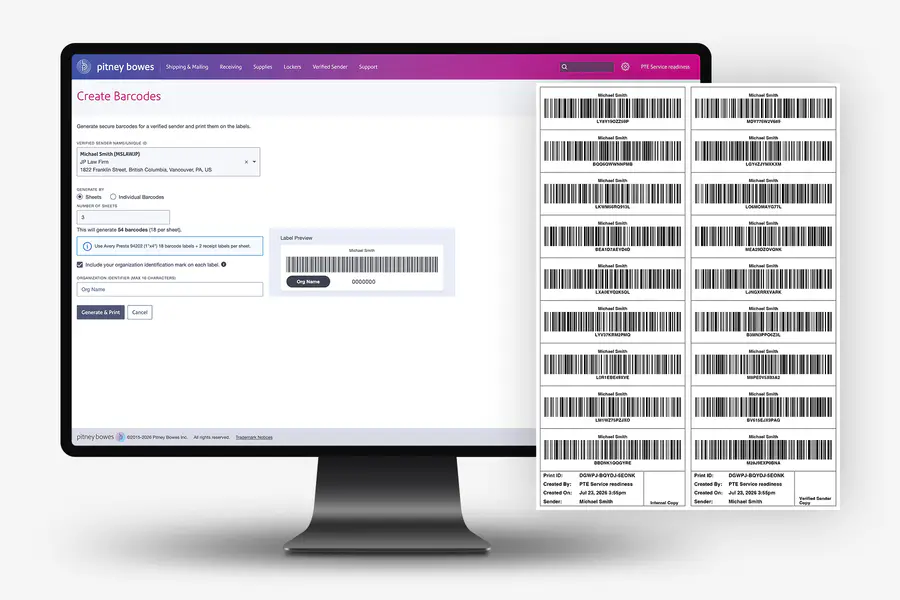
- User who created labels is documented within the reporting
- Barcodes are printed on label sheets
- A Print ID is assigned that can be used later to bulk-void a lost or stolen sheet.
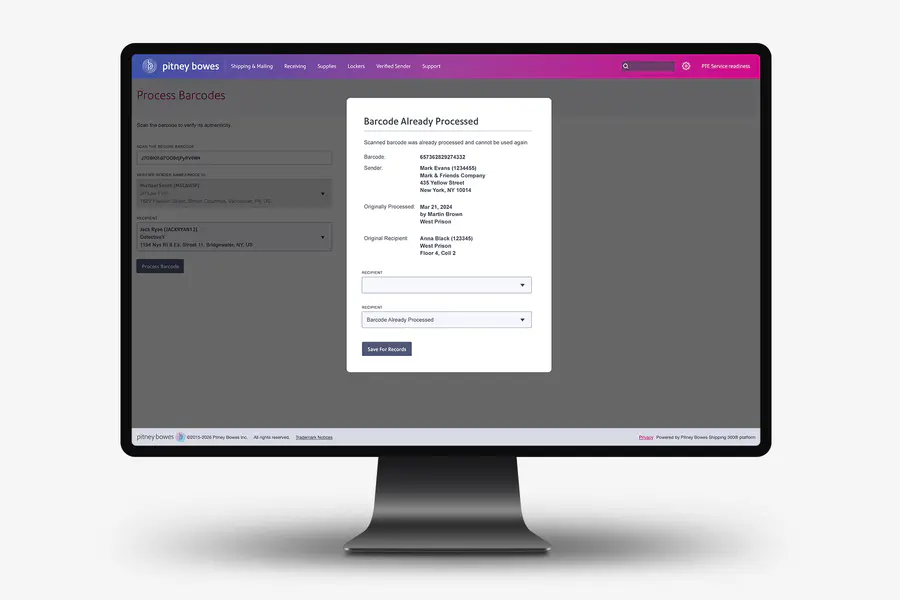
- Barcodes are easily scanned with a handheld device
- If authenticated, sender information is pulled for visual inspection.
- If the barcode scanned is invalid, duplicated, or voided, an alert will appear on screen.
- Additional alert notifications about suspicious activity are sent via email to designated staff
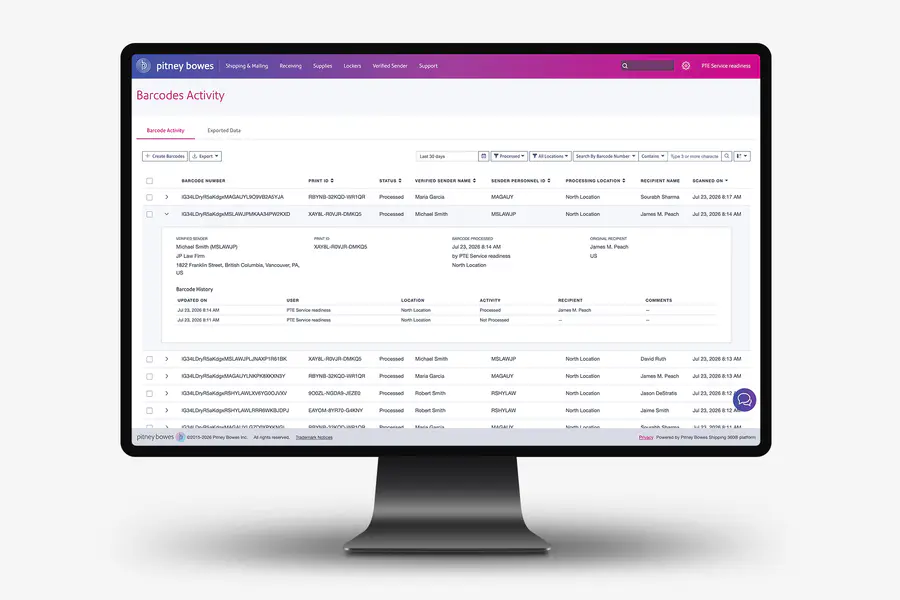
- All barcodes and their activity are captured in the software.
- Customizable and exportable reports.
- Detailed view of each barcode shows when it was generated, who it was assigned and when it was scanned.
- Monitor any invalid, voided or duplicated barcodes.
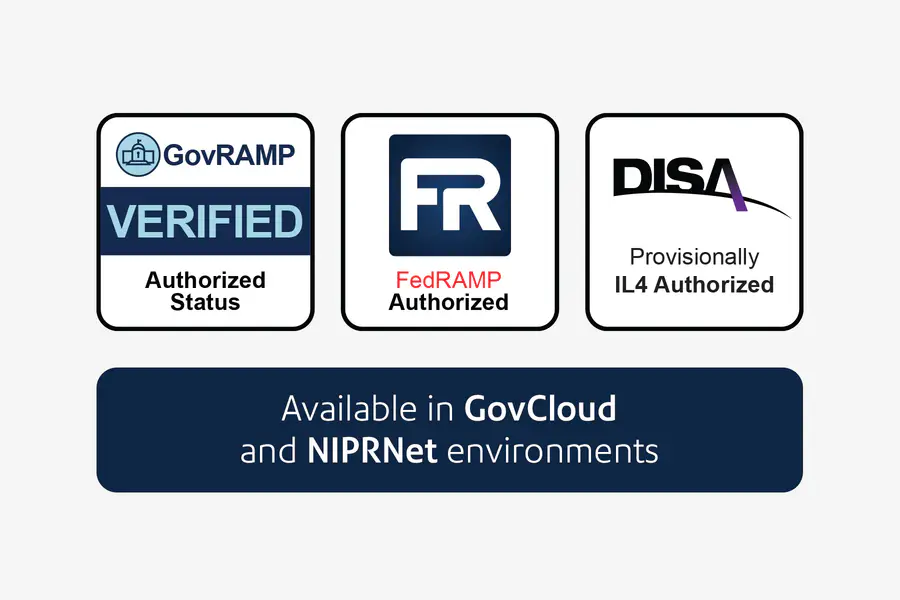
- FedRAMP Authorized (moderate)
- StateRAMP/ GovRAMP Authorized (moderate)
- 800-53 Rev. 5 Compliant
- 382 Controls over 17 Families
- CCPA/GDPR Compliant
- IL4 Provisional Authorization


Frequently asked questions
What information is included in the barcode?
The barcode contains information that securely identifies the authorized sender and associated organization. Users can also add an optional Organization Identification Mark that is printed on each label. For security, the visible number printed on the label is not the barcode's unique identifier, making it much more difficult to duplicate or falsify a barcode.
What happens if a barcode or sheet is lost or stolen?
Each individual barcode and each sheet of barcodes is assigned a unique Print ID, making it easy to locate and manage within the system. If a barcode or an entire sheet is believed to be lost, misplaced, or stolen, an authorized user can quickly void the affected barcodes.
If a voided barcode is later presented on a piece of legal mail, PitneyTrack Verified Sender automatically flags it as invalid and generates an alert, notifying designated staff so the mail can be investigated before it is processed.
How are staff notified if a barcode cannot be verified?
If a scanned barcode is voided, duplicated, or cannot be authenticated, PitneyTrack Verified Sender immediately displays an on-screen alert to the user. At the same time, automatic email notifications are sent to designated correctional staff so they can quickly act according to their own internal protocols.
Can I see the history of all barcode activity?
Yes. PitneyTrack Verified Sender maintains a complete audit trail of each barcode throughout its lifecycle. Every status including Not Processed, Processed, Voided, and Rejected—is recorded along with who performed the action, when it occurred, and any associated comments.
Administrators can generate customized reports by filtering barcode activity by date range, location, user, sender, etc. Reports can also be exported for reporting, compliance, and audit purposes.
Can different users have different access levels?
Yes. PitneyTrack Verified Sender supports customizable role-based permissions, allowing administrators to control which users have access to specific functions based on their responsibilities. This helps improve accountability, ensure appropriate separation of duties and reduce the risk of unauthorized activity.
What happens after a barcode is verified?
When a barcode is successfully authenticated, the verified sender's information is automatically populated from the barcode and displayed on the screen in read-only fields, ensuring it cannot be modified. The user then selects the intended recipient or inmate from the contact list to complete the verification process.