
PitneyTrack® Verified Sender Support
Find solutions
Install & Setup
Using Your Product
Fixing & Maintenance
Reporting, History & Accounting
Network & Connectivity
The following URLs and IP addresses must be accessible in order for the system to connect to the internet.
If you are going to use Single Sign-On (SSO) for the Pitney Bowes Shipping 360 platform, you need to configure your Identity Provider (IdP) according to our guidelines.
Features & Settings
If you do not know your password, you can reset it.
You can import the mapping for Single Sign-On (SSO) users into the system automatically on a fixed schedule from an SFTP server.
Administrators can create different roles to define the tasks that users are allowed to perform. Each user is assigned a role.
You can send customized notifications to inform users when certain events occur.
You can add up to 10 custom fields to several different screens in the system.
Enterprise administrators can set the period of time after which users will be signed out of the system if they are not using it. This setting applies to all users.
You can add, edit, delete, import, and export users of the system as needed.
Divisions are subsets of your enterprise, which is the topmost level of your organization. Each division can contain multiple locations within it. Learn how to add and manage them.
You need to sign in in order to use the system.
PitneyTrack Verified Sender automates the verification of incoming legal mail to prevent the introduction of contraband into secure facilities. It allows you to verify the authenticity of incoming mail using unique barcodes generated by the software.
The following URLs and IP addresses must be accessible in order for the system to connect to the internet.
Contacts are the senders and recipients of mail coming into your facility. You can add, edit, and delete contacts in your address book as needed. You can also export them from and import them into the system.
Receiving
You can scan barcodes from verified senders to verify that they are they are authentic.
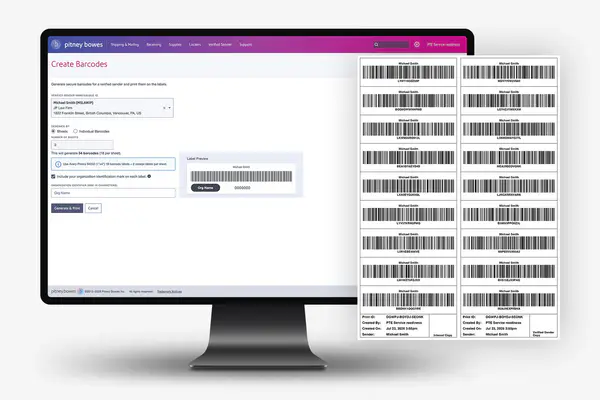
You can create secure barcodes for a verified sender and print them on labels.
You can void any barcode that has not already been processed or voided. Once you have voided a barcode you will no longer be able to use it.
Network & Connectivity
The following URLs and IP addresses must be accessible in order for the system to connect to the internet.
If you are going to use Single Sign-On (SSO) for the Pitney Bowes Shipping 360 platform, you need to configure your Identity Provider (IdP) according to our guidelines.
Reporting, History & Accounting
You can view the history of your barcode labels and export the data if needed.
For information on service offerings and level of support, download the Pitney Bowes Technical Support Overview