• Support
  • Supplies
  • Sign In
  • United States
pitney bowes logo
  • Products
  • Solutions
  • Integrations
  • Resources
  • Why Pitney Bowes

Software

  • What is the Shipping 360 platform?
  • Shipping software Simplifying multicarrier shipping
  • Ecommerce fulfillment software Streamline order management and cut shipping costs
  • Shipping APIs Seamlessly integrate shipping into your platform
  • Mailroom management software Easily track inbound packages

Hardware

  • Postage meters Simplify mailing and postage
  • Shipping label printer 3-in-1 shipping solution with a built-in scale
  • Smart lockers Secure, convenient package and asset delivery
  • Self-service kiosk Quick, simple shipping and mailing
  • Mailroom equipment Automate mailroom prep and processing tasks

Services

  • Presort mail services High-volume mail processing
  • Financing Flexible business financing
  • Print to mail Print and mailing outsourcing service

By industry

  • government icon Government
  • finance icon Financial services
  • healthcare icon Healthcare
  • higher-ed icon Higher education
  • legal icon Legal
  • pharmacies icon Pharmacy
  • retail icon Retail & ecommerce
  • small-business icon Small business

By use case

  • certified-mail icon Digital certified mail
  • order-management2 icon Order management
  • multicarrier icon Multicarrier management
  • shipping-data-analytics icon Shipping analytics & insights
  • parcel-tracking icon Package tracking
  • international-shipping icon International shipping

Integrations

  • Carriers Connect with major shipping and delivery providers
  • Marketplaces Integrate with leading e-commerce platforms
  • Verticals Solutions tailored for specific industries

Community & Events

  • news icon Newsroom
  • podcasts icon Podcasts
  • webinars icon Webinars

Education

  • blogs icon Blogs
  • carriers icon Carriers
  • case-studies icon Case studies
  • rate-change icon Rate change
  • security icon Trust center
  • document-support icon Product update hub

Support

  • support icon Web support Find answers, product guides and help for all your Pitney Bowes services

Tools

  • demos icon Demos
  • calculator icon Presort savings calculator

Company info

  • About us
  • Investor relations
  • Our customers
Back to Top Top
Home Page
  • Products
    • Software
      • What is the Shipping 360 platform?
      • Shipping software
      • Ecommerce fulfillment software
      • Shipping APIs
      • Mailroom management software
    • Hardware
      • Postage meters
      • Shipping label printer
      • Smart lockers
      • Self-service kiosk
      • Mailroom equipment
    • Services
      • Presort mail services
      • Financing
      • Print to mail
  • Solutions
    • By industry
      • Government
      • Financial services
      • Healthcare
      • Higher education
      • Legal
      • Pharmacy
      • Retail & ecommerce
      • Small business
    • By use case
      • Digital certified mail
      • Order management
      • Multicarrier management
      • Shipping analytics & insights
      • Package tracking
      • International shipping
  • Integrations
    • Integrations
      • Carriers
      • Marketplaces
      • Verticals
  • Resources
    • Community & Events
      • Newsroom
      • Podcasts
      • Webinars
    • Support
      • Web support
    • Tools
      • Demos
      • Presort savings calculator
  • Why Pitney Bowes
    • Company info
      • About us
      • Investor relations
      • Our customers
  • Supplies
  • Get Support
  • Sign in
  • Change Country
  1. Component Docs

Support Article Components

The following components are all part of the "Support Article New" set of components released in early 2021 for use on the Support Article template.

Containers

These navigational components act as containers for other components to reside within.

Accordion

A navigation component that uses an accordion design to show only one section at a time.

Table of Contents

The Table of Contents component renders a list of links at the top of the section that jumps the visitor down to the relevant section.

Body Content

These components are used to render body content within other components.

text component screenshot

Text

Create the bulk of your article content with this rich editor component.
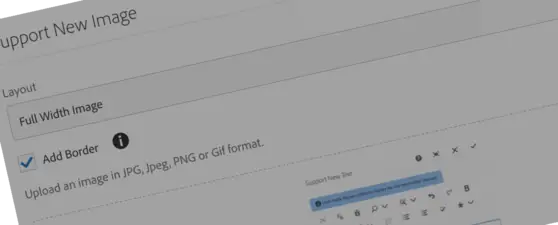
Image Dialog Screenshot

Image

Add screenshots and images using this Image component.

Call to Action

Renders bordered boxes of content with icons and links.

Notecard

Renders a box of content with specific icon, background and text color to bring emphasis.

Pill Button

Renders a free-standing pill button.

Step by Step

Renders an ordered list of items with stylized pink circle number treatments.
About Pitney Bowes
Our Company Newsroom Contact Us Investor Relations Corporate Responsibility Careers Supplier Information
Shop
Ink & Supplies by Meter Mailing Supplies Order History Returns
Your Account
View & Pay Bills View Order History ValueMAX Your Account Support Rewards Sign in to your account
Product Support
Postal Rate Change Envelope Messaging Product Support Connectivity Support System Status
Partner Program
Partner Locator Shipping APIs Affiliates
The technology behindevery important delivery.
Follow Us
Facebook Linkedin Twitter Youtube Instagram
The technology behindevery important delivery.
Legal Privacy Do Not Sell or Share My Personal Information Cookie policy
©1996-2026 Pitney Bowes Inc. All rights reserved.